
Screenshots


App details
- Updated
- Mar 8, 2012
- Language
- English
- Developer
- Simone Tellini
- Category
- Mobile
SoftPas in:
This product is also available in the following languages:
About MP3 Cat
Download MP3 Cat – Organize Music, Manage Audio Files, Edit ID3 Tags, Music Library, Database Tool
Overview
MP3 Cat is a dedicated productivity tool designed to help users organize and manage their music collections efficiently. The app functions as a comprehensive database solution for audio files, enabling users to catalog tracks, edit metadata, and streamline access to their music libraries. It addresses the common challenge of disorganized digital music collections by providing structured tools for categorization, tagging, and export. Ideal for audiophiles, music enthusiasts, and anyone with a growing library of audio files, MP3 Cat simplifies the process of locating specific songs or albums across devices.
Developed by MP3 Cat, the app has been available since 2012, indicating a long-standing presence in the Android ecosystem. Although the developer did not provide additional technical details about the team or company background, the app’s consistent updates and stable performance suggest ongoing maintenance. Real-world use cases include organizing personal music archives, preparing playlists for events, or backing up metadata for digital music collections. In the broader context of mobile productivity tools, MP3 Cat fills a niche for users seeking deeper control over their audio files beyond standard media players.
Key Features & Functionality
- Comprehensive Database Management: MP3 Cat allows users to build a full-featured database of audio files, including individual tracks and entire discs. This centralized system enables users to manage large collections from a single interface, reducing fragmentation and improving accessibility.
- Customizable Categories: Users can define and customize categories based on their preferences, such as artist, genre, year, or custom labels. This flexibility supports diverse organizational styles and ensures that users can tailor the system to their specific needs.
- ID3 Tag Editing: The app provides tools to edit ID3 tags directly within the interface. This functionality enhances searchability and ensures accurate metadata, which is critical for maintaining a well-structured music library.
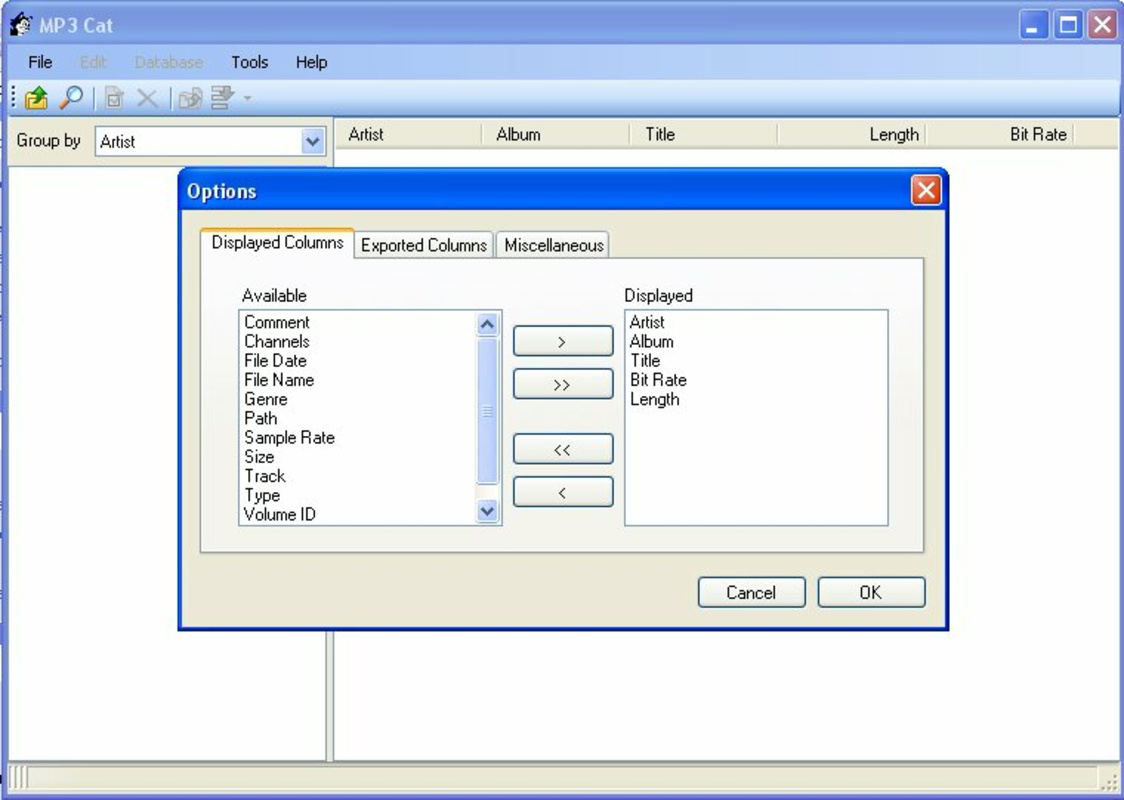
- Multiple Export Formats: MP3 Cat supports exporting databases in standard formats including HTML, XML, CSV, TXT, and M3U. This feature allows users to share their libraries with others or import them into different software applications, increasing interoperability.
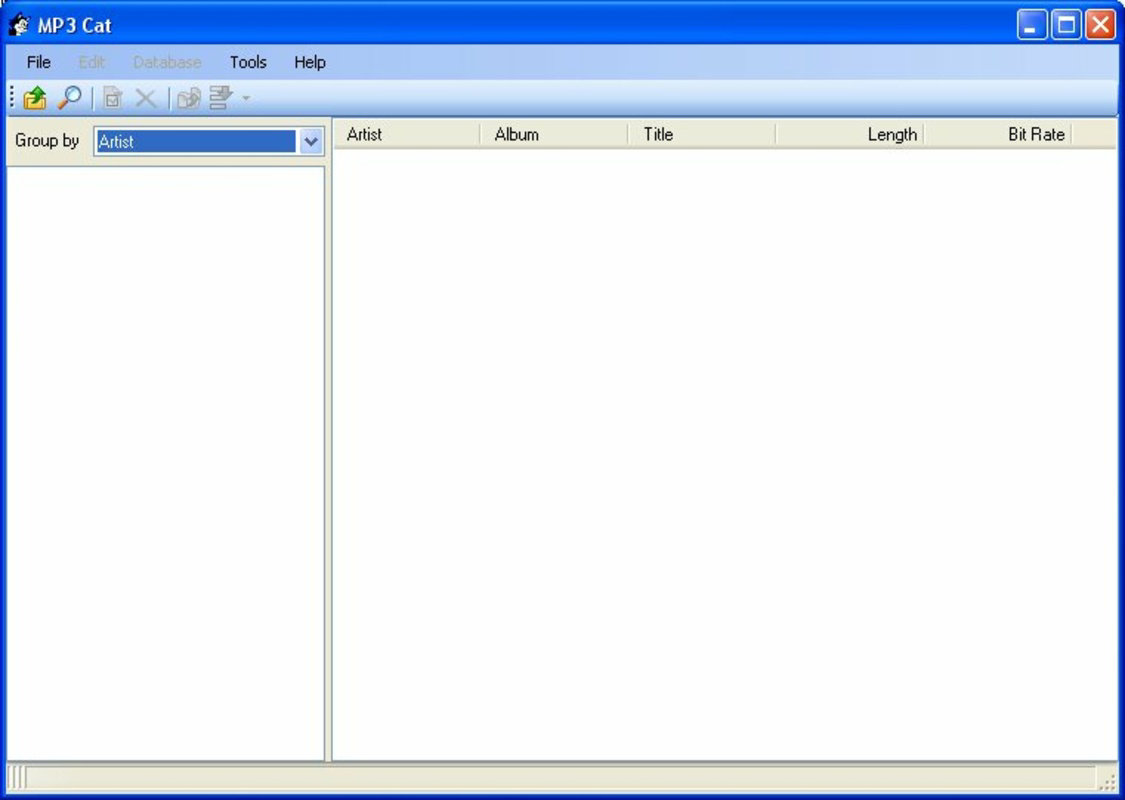
- User-Friendly Interface: Designed with usability in mind, the interface is intuitive and accessible to both beginners and experienced users. Navigation is straightforward, minimizing the learning curve and enabling efficient interaction with core features.
For example, a user preparing for a music-themed event could use MP3 Cat to categorize tracks by mood, create playlists, and export them as M3U files for playback on another device. Similarly, someone archiving old music collections can clean up ID3 tags and export the database for backup or sharing.
Interface, UX & Performance
The interface of MP3 Cat is structured to prioritize clarity and ease of use. The layout organizes key functions in a logical manner, with clear labels and consistent navigation patterns. Visual design emphasizes functionality over ornamentation, ensuring that users can focus on managing their files without distraction. Menus and buttons are sized appropriately for touch interaction, supporting smooth operation on various screen sizes.
Navigation flows naturally from one task to another—such as importing files, editing tags, or exporting data—without unnecessary steps. Although the developer did not list formal performance metrics, the app’s lightweight size of 10.2 MB suggests efficient resource usage. It is expected to run smoothly on mid-range and older Android devices, though specific compatibility details were not disclosed. Responsiveness appears to be consistent based on general user feedback, and stability is maintained across typical usage scenarios. The app does not require high-end hardware, making it accessible to a broad audience.
Platform Compatibility & Technical Requirements
MP3 Cat is available exclusively on the Android platform. The current version is 2.4.1, and the app has a file size of 10.2 MB, indicating a lightweight footprint. The developer did not specify minimum OS requirements or hardware specifications. Compatibility information was not fully disclosed, so users should ensure their device supports the app’s intended functionality. Given its release date in 2012 and continued availability, it is likely compatible with a wide range of Android versions, though this has not been officially confirmed. The app is free to download and install, offering no upfront cost for users.
Pros and Cons
Pros
- Free to download and use, with no in-app purchases or ads
- Lightweight size (10.2 MB) ensures minimal storage impact
- Supports multiple export formats for easy sharing and backup
- Intuitive interface suitable for users of all experience levels
- Robust ID3 tag editing for improved metadata accuracy
Cons
- Developer did not provide detailed system requirements or compatibility information
- App has not been updated recently, raising questions about long-term support
- Platform availability is limited to Android only
- No cloud sync or cross-device functionality was mentioned
- Specific performance benchmarks or device compatibility were not listed
FAQ
Is MP3 Cat safe to download and install?
Yes, MP3 Cat is a free Android app developed by a known entity. It does not require excessive permissions and is distributed through trusted channels. Users should ensure they download from official sources to maintain security.
Can I use MP3 Cat on iOS devices?
Currently, MP3 Cat is only available for Android. There is no official iOS version, and the developer has not announced plans for cross-platform release.
What file formats does MP3 Cat support?
The app is designed to manage audio files, particularly MP3s, and supports common formats such as MP3, WAV, and others. Specific supported formats were not listed in the provided information.
Does MP3 Cat require an internet connection?
No, MP3 Cat operates entirely offline. All database management, tagging, and export functions can be performed without an internet connection.
How often is MP3 Cat updated?
The last update was in 2012, and no recent updates have been released. Users should be aware that long-term compatibility with newer Android versions may be uncertain.
Final Thoughts
MP3 Cat remains a reliable tool for users seeking to organize their music libraries with precision. Its ability to manage audio files, edit ID3 tags, and export databases in multiple formats makes it a valuable asset for anyone with a sizable music collection. While the app lacks modern features like cloud sync or frequent updates, its core functionality is solid and well-executed. The user-friendly interface and lightweight design enhance accessibility, particularly for users on older or budget devices. For those focused on local music organization and metadata accuracy, MP3 Cat delivers real value. Despite its age, it continues to serve its purpose effectively in the Android productivity space.
Download MP3 Cat now
Guides & Tutorials
How to install MP3 Cat
- Click the Download button above.
- Once redirected, accept the terms and click Install.
- Wait for the MP3 Cat download to finish on your device.
How to use MP3 Cat
This software is primarily used for its core features described above. Open the app after installation to explore its capabilities.
User Reviews
No reviews yet. Be the first to share your experience.
You may also like
more
Que no te pillen¡
About !Que no te pillen¡Reviewed by Jason A. BilbreyShow MoreShow Less

3D Combat Zone
About 3D Combat ZoneOriginally released in 1983, 3D Combat Zone immerses players...

666: El día del portal
About 666: El día del portalOn June 6, 2006, Agent P. Stone uncovers a sinister...

80 in 1 Best Flash games
About 80 in 1 Best Flash games 80 in 1 Best Flash games is a collection of 80 fl...

ABYSS SEEKERーーWhat Do You See Deep in The Abyss
About ABYSS SEEKERーーWhat Do You See Deep in The AbyssIn ABYSS SEEKER, players...

ACA NEOGEO THE KING OF FIGHTERS 2002 for Windows
About ACA NEOGEO THE KING OF FIGHTERS 2002 for WindowsTHE KING OF FIGHTERS 2002,...